We have deployed these RFID tags for tracking pallets and cartons in our cross-border logistics operations. The read rate has remained stable even with mixed loading and high-speed conveyor belts. Compared to our previous tags, the false scan rate has been significantly reduced, and it has become much easier for the warehouse team to handle exceptions.
Daniel – Logistics Operations Lead @ International Freight Company
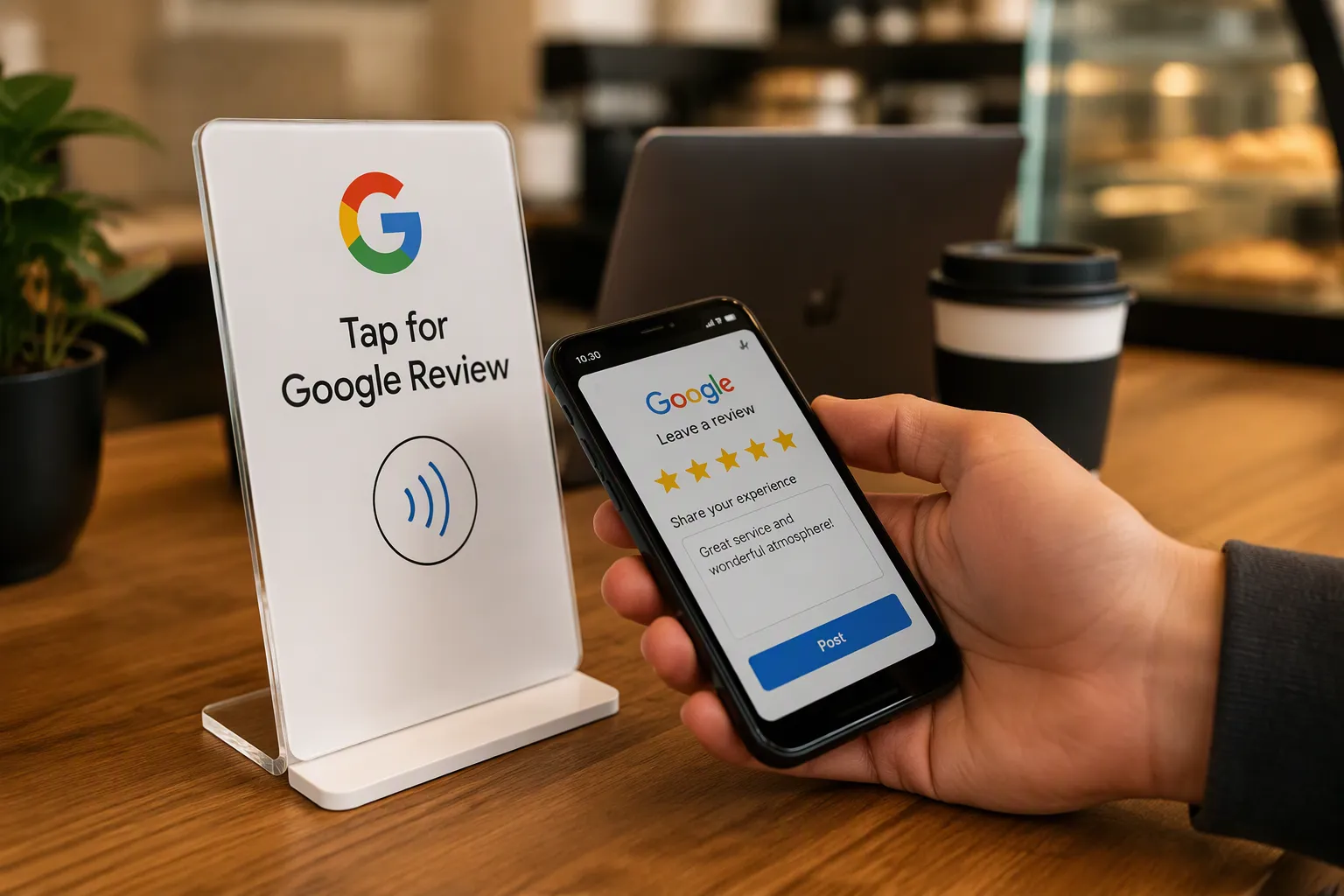
Tap your phone on a Meihe NFC Google Review Stand, and the review page opens instantly—no typing or searching. This 15–30 second process replaces the typical 2–5 minute chore. Businesses see an average 485% increase in monthly reviews. That is how does NFC review stand work in practice.
Key Takeaways
An NFC stand opens your review page with one tap. Customers do not search or type. This simplicity boosts review completion rates to 60–80%.
The process has three steps: tap your phone, see the review page, and write your review. No app or password is needed.
NFC technology removes all friction. Customers do not need technical skills. The tap feels like paying with a phone so everyone can do it.
What Is an NFC Google Review Stand?
A Simple Definition
An NFC Google Review Stand is a small countertop device that holds a programmed NFC tag. When a customer taps their smartphone on the stand, the phone instantly opens your Google Business Profile review page. The customer then writes and posts a review without downloading an app, typing a web address, or searching for your business name.
Near-field communication (NFC) technology allows two devices to communicate wirelessly. As technology reference sources explain, NFC is part RFID and part Bluetooth. NFC devices connect instantly for data exchange when brought close together. The small range of NFC chips makes this technology useful for payments, identification, access control, ticketing, or any other application requiring near-field data exchange. A Meihe NFC Google Review Stand applies this same principle to customer feedback collection.
The NFC Forum, the standards body behind the technology, defines NFC as a contactless communication technology using radio transmission. The table below summarizes the official technical specifications.
Category
NFC Forum Specification
Technology type
Contactless communication technology using radio transmission
Base frequency
13.56 MHz
Typical range
Up to 2 cm
Certified compliant range
5 mm
Data rate
46 kbit/s to 1.7 Mbit/s
Power capability
One side can transmit power over the connection, enabling battery-less operation; up to 1 W for wireless charging
Supported protocols
ISO/IEC 14443 Type A, ISO/IEC 14443 Type B, ISO/IEC 15693, ISO/IEC 18092, JIS-X 6319-4, NFC Forum Tags, and other NFC Forum Devices
Key connection properties
Fast startup, power sensing, short connection time, small data payload
Operating modes
Card Emulation, Reader/Writer, Wireless Charging, Host Card Emulation, Peer-to-Peer, Secure Element based Card Emulation
This technology is already in your customers' pockets. According to market research on NFC payment devices, approximately 94% of smartphones worldwide are equipped with NFC capability. The NFC Forum reports that NFC is a standard feature on approximately three billion smartphones currently in use. That figure corresponds to roughly 20% of the world's population. When you place a Meihe NFC Google Review Stand on your counter, you tap into a technology that nearly every customer already carries.
What It Looks Like on Your Counter
A Meihe NFC Google Review Stand is compact and designed to sit discreetly on any counter or table. The device typically features a branded display area, a built-in NFC chip, and a clear tap zone marked with the universal NFC symbol. Some models include a short instruction line such as "Tap here to leave a review" to guide customers through the process.
The physical design prioritizes visibility and ease of use. You can place the stand at your checkout counter, on a restaurant table, at a salon station, or near a clinic reception desk. The stand requires no power cable, no internet connection, and no pairing with other devices. The NFC tag inside the stand holds a programmed link to your Google review page. That link stays fixed until you reprogram it.
Businesses across multiple industries already use these stands. The most common users include:
Restaurants
Salons
Clinics
Hotels
Shops
Retail stores also commonly use NFC tap stands for Google review collection. Over 20,000 businesses across North America reportedly use Review Highway devices to collect reviews. This widespread adoption reflects the device's simplicity and effectiveness.
NFC Stand vs. QR Code
You may wonder how an NFC stand compares to a QR code. Both methods aim to open your Google review page, but they differ significantly in speed, ease of use, and conversion rates.
A QR code requires the customer to open their camera app, point at the code, wait for a link to appear, and then tap that link. That process involves three to four steps and takes eight to fifteen seconds. An NFC tap requires one step and takes under three seconds. The customer simply holds their phone near the stand.
The comparison table below illustrates the performance difference.
Metric
QR Code
NFC Tap
Review completion conversion rate
35–50%
60–80%
Comparative effectiveness
1x (baseline)
3.2x higher
Steps required
5
1
Time to reach review page
8–15 seconds
Under 3 seconds
Review conversion for QR codes rates as "Good," while NFC taps rate as "Excellent." Ease of use for QR codes rates as "Medium," while NFC taps rate as "Very High." Customer hesitation for QR codes is "Moderate," while NFC taps show "Very Low" hesitation. Businesses using NFC consistently report higher review completion, more reviews per customer, and more frequent reviews over time.
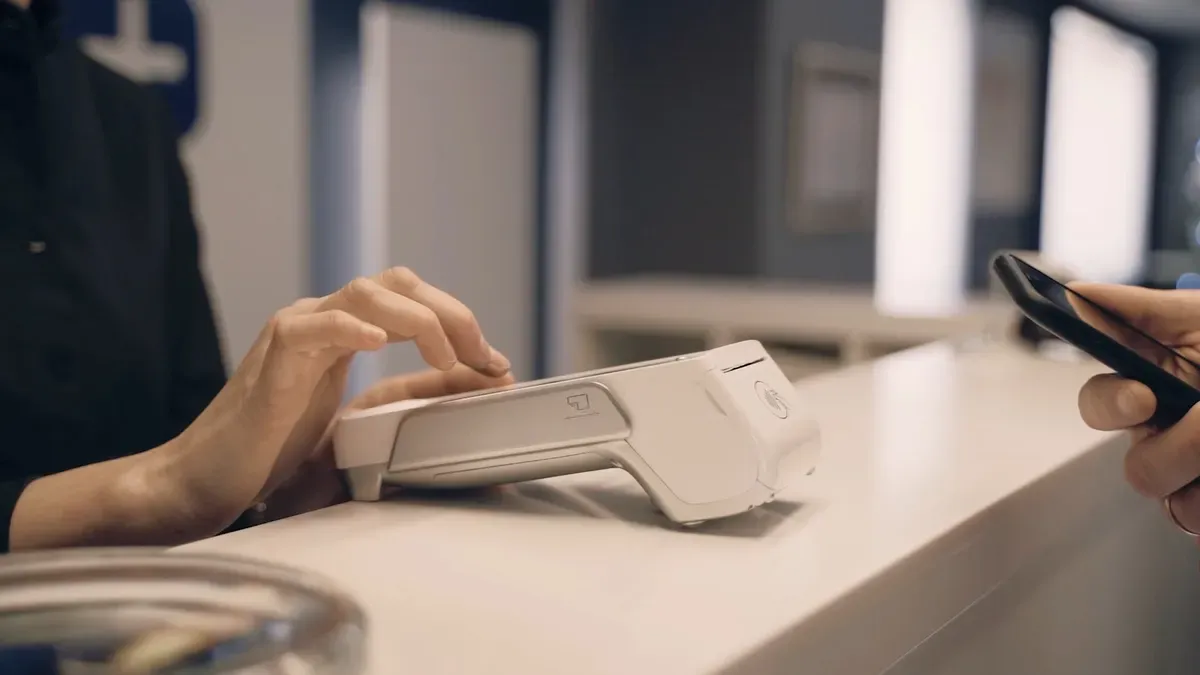
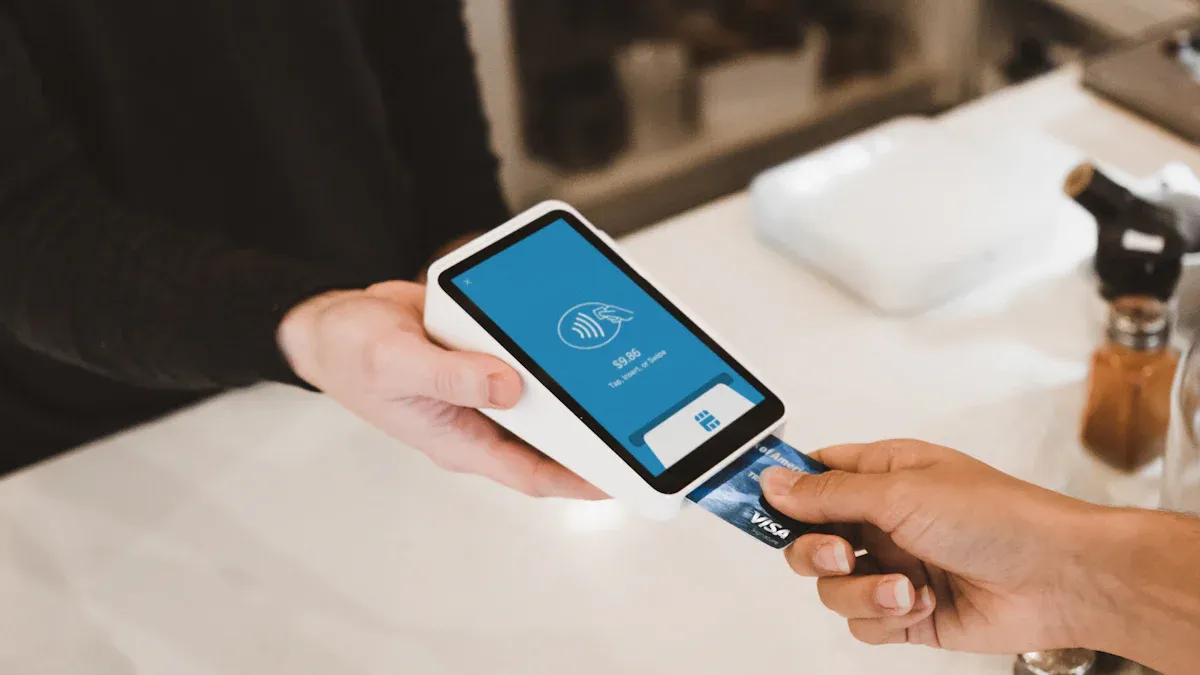
Security also favors NFC technology. Because NFC only works at very short distances, it's ideal for situations where security and reliability matter. This close-range communication reduces the risk of interference and makes NFC a trusted technology for secure interactions. NFC payments encrypt your payment information and generate a token to protect it and prevent theft.
The table below details the security features built into NFC technology.
Security Feature
How It Protects User Data During Tap Interactions
Encryption
Data sent between the NFC device and terminal is converted into a secure code, preventing interception of card numbers and transaction amounts.
Tokenisation
A unique digital token replaces the real card number; the token is useless if intercepted and valid only for that specific transaction.
Short-range communication
The device must be within a few centimetres of the terminal, reducing the chance of unintended or unauthorised interception.
Device authentication
Requires a passcode, fingerprint, or facial recognition, ensuring the rightful owner initiates the transaction.
Dynamic authentication codes
A unique code is generated per transaction, so intercepted details cannot be reused for fraudulent repeat transactions.
Secure element
A dedicated chip isolated from the phone's main OS stores payment information securely, adding protection against hacking.
Transaction limits
Banks set caps on NFC transactions; exceeding the limit triggers traditional authentication such as PIN entry.
Real-time fraud monitoring
Banks and processors monitor transactions in real time and can decline suspicious activity or contact the customer.
Customer verification requests
For large transactions, additional verification such as PIN entry or a signature may be required.
The NFC communication process follows a clear sequence. First, the NFC chip activates, which may require user authentication via passcode, fingerprint, or facial recognition on smartphones. Second, communication establishes at 13.56 MHz with a range of about 4 cm; this short range is itself a security feature preventing unwanted interception. Third, data transmits with encryption protecting sensitive information. Fourth, the terminal forwards data to the payment processor, which verifies transaction details with the bank or card issuer. Fifth, the bank checks authenticity, sufficient funds, and adherence to set limits or restrictions. Sixth, the bank approves or declines, and the decision communicates back through the processor. Seventh, a confirmation displays, and the NFC device may receive a notification. Eighth, transaction details are recorded for tracking and management.
Understanding how does nfc review stand work means recognizing that the same security infrastructure protecting mobile payments also protects the simple act of opening a review page. The Meihe NFC Google Review Stand leverages this proven technology to make leaving feedback effortless for your customers.
How Does NFC Review Stand Work Step by Step?
You have probably wondered how the process unfolds from the customer's perspective. The answer is surprisingly simple. When you understand how does nfc review stand work, you realize every tap follows the same three-step sequence. No employee intervention, no complicated setup, and no customer confusion.
Step 1: The Customer Taps Their Phone
The first step starts when a customer holds their unlocked smartphone near the Meihe NFC Google Review Stand. The phone does not need to touch the stand. It needs to come within a few centimeters of the NFC tag embedded inside the device.
NFC technology operates within a specific range and at a particular speed. The table below outlines the typical specifications. These numbers explain why the tap feels instantaneous.
Specification
Typical Value
Read Range
~4 cm (0–5 cm)
Communication Speed
106–848 kbit/s
Your customer's phone must meet a few basic conditions for the tap to succeed. These prerequisites apply to nearly every modern smartphone.
NFC must be enabled in the phone's settings. Most devices have this turned on by default.
The phone must be unlocked before scanning the tag.
The phone must be held within a few centimeters of the tag. Physical touch is not required.
No separate app is needed. On Android, when a tag contains a URL, the phone automatically launches the website upon scanning.
Normal NFC tags do not work on metal surfaces, so the stand must sit on a non-metal countertop.
Approximately 94% of smartphones worldwide already have NFC capability. Your customers carry the required hardware in their pockets. The only human action required is the tap itself.
Step 2: The Google Review Page Opens
The moment the phone detects the NFC tag, the Android operating system processes the NDEF (NFC Data Exchange Format) payload stored on the tag. The tag contains a URL that points directly to your Google Business Profile review page.
Android handles this URL through a specific intent dispatch system. The phone checks activities in a defined priority order.
ACTION_NDEF_DISCOVERED — This intent has the highest priority. Android starts an Activity when a tag with a recognized NDEF payload is scanned. Note that from Android 16, scanning tags storing web links (http:// or https://) may trigger ACTION_VIEW instead. From Android 17, an "open link" notification requires explicit user interaction.
ACTION_TECH_DISCOVERED — The system uses this intent if no activity handles ACTION_NDEF_DISCOVERED, or if the tag's NDEF data cannot be mapped to a MIME type or URI.
ACTION_TAG_DISCOVERED — This intent has the lowest priority. Android uses it only if no activities handle the two higher-priority intents.
The URL opens in your customer's default browser. However, browser compatibility matters. The following table shows which browsers support NFC-based URL opening on different devices.
Device
Browser
Status
Android phones/tablets
Google Chrome
Recommended
Android phones/tablets
Samsung Internet
Supported
Android phones/tablets
Opera
Supported
iPhones/iPads
Any
Not supported (Apple blocks website NFC access)
Desktop/laptop
Any
Not supported (no NFC hardware)
Any
Firefox
Not supported (Web NFC not implemented)
Any
Safari
Not supported
iOS
Chrome
Not supported (Apple restrictions)
The entire process takes under three seconds. Your customer sees the Google review page appear on their screen without typing a single character. This speed is the core reason how does nfc review stand work so effectively for review collection.
Step 3: The Customer Writes and Posts the Review
The Google review page loads with your business name and location already pre-filled. The customer sees the star rating system and a text box. They tap the number of stars they want to give, type a few words about their experience, and press the "Post" button.
That is the entire process. The customer completes three simple actions: tap, rate, and write. No searching for your business name. No copying a URL from a printed sign. No navigating through menu options on Google Maps.
From your perspective, the review appears on your Google Business Profile within minutes. You can track it through your Google Business Profile dashboard. The customer walks away having contributed to your online reputation with minimal effort.
Why It Works for Non-Tech-Savvy Customers
You might worry that older customers or technology-averse individuals cannot handle the process. That concern is unwarranted. The NFC tap requires no technical skill whatsoever.
Consider the mental load your customer avoids. Without an NFC stand, a customer must remember your business name, open Google, type the name, find the correct profile, locate the "Write a Review" button, and then compose their thoughts. That process involves multiple cognitive steps and potential friction points.
The NFC stand reduces that sequence to one physical action. The customer sees the stand, reads the simple instruction "Tap here," touches their phone to it, and the review page appears. The rest is the same as leaving any other review, except the hardest part — finding the page — is already done for them.
The barrier to leaving a review is almost never the act of writing. It is the inconvenience of finding the review page. An NFC stand removes that barrier entirely.
Repetition also builds comfort. Once a customer taps once, they understand the mechanism. Future visits require zero learning. The stand works the same way every time, which builds confidence even in the least tech-savvy individuals.
This simplicity explains why businesses using Meihe NFC Google Review Stands report conversion rates of 60–80%, compared to 35–50% for QR codes. The tap is intuitive. It mirrors actions your customers already perform daily, such as tapping their phone to make a payment. The familiarity eliminates hesitation.
Now you understand how does nfc review stand work from start to finish. The technology handles the complexity, and your customer handles only the tap.
Why It's Efficient for Businesses
More Reviews with Less Friction
Every extra step you remove from the review process directly increases your review volume. According to How to Automate Google Reviews with NFC Cards (2026 Guide), businesses that adopt NFC review cards experience an average 60% increase in review volume during the first three months after implementation. Your customers already want to leave feedback. They simply do not want to work for it. When you place a Meihe NFC Google Review Stand on your counter, you eliminate the search, the typing, and the navigation. Your customers tap, rate, and post. That simplicity drives measurable results. Understanding how does nfc review stand work helps you see why this single tap method outperforms traditional approaches.
No Extra Hardware or Training Required
Setting up your Meihe NFC Google Review Stand requires no technical expertise. The process follows a simple sequence:
Obtain your Google review link from your Google Business Profile's "Get more reviews" section.
Order your NFC stand with the link pre-programmed and branding customized.
Unbox the stand upon delivery.
Test the stand by tapping it with different smartphones.
Train your team in a short meeting.
Place the stand at customer touchpoints.
Track your review numbers over time.
No specialized technical skills are required. The stand comes pre-programmed with your Google review link and works ready out of the box.
Your team learns the process in minutes. No cables, no apps, and no IT support needed.
A Better Experience for Customers
Your customers appreciate convenience. An NFC tap requires no app download, no camera opening, and no typing of web addresses. They simply tap their phone and see your review page appear. This experience mirrors the contactless payments they already trust. The familiarity eliminates hesitation and encourages participation. Your customers leave your location having contributed to your reputation with minimal effort. That positive interaction reinforces their overall experience with your business.
A Meihe NFC Google Review Stand turns a multi-step chore into a single tap. The technology stays simple, the setup takes minutes, and the payoff means more Google reviews. Any business can use it to make leaving feedback effortless for customers.
FAQ
Does an NFC Google Review Stand work with iPhones?
iPhones do not support automatic URL opening via NFC tags. Keep a QR code next to your Meihe stand for Apple customers.
Does the stand need batteries or Wi-Fi?
Your Meihe NFC Google Review Stand requires no power cable and no internet connection. The passive tag works instantly with any NFC phone.
Can I update the review link later?
Yes. You reprogram the NFC tag inside your Meihe stand. An NFC writing app lets you change the URL anytime.





 IPv6 network supported